Stark for macOS

Messy Mac?
Clean it with a click.

Tell Stark what you want. It organizes your files locally — no cloud, no deleted files, no drama.

  • 100%Offline, always
  • 0Files ever deleted
  • 10,000+Files in under 2 sec
  • Full UndoEvery move reversible

You ask. Stark acts. — Scroll to watch

From chaos to clarity — in one scroll.

Stark does exactly this, locally on your Mac.

Interface

See Stark in action.

Ask AI

Talk to your files.

Type what you want. Stark figures out the rest.

Understand

It gets what you mean

Type however you like — Stark figures out the intent and builds the right structure for your files.

Preview

See the plan before it runs

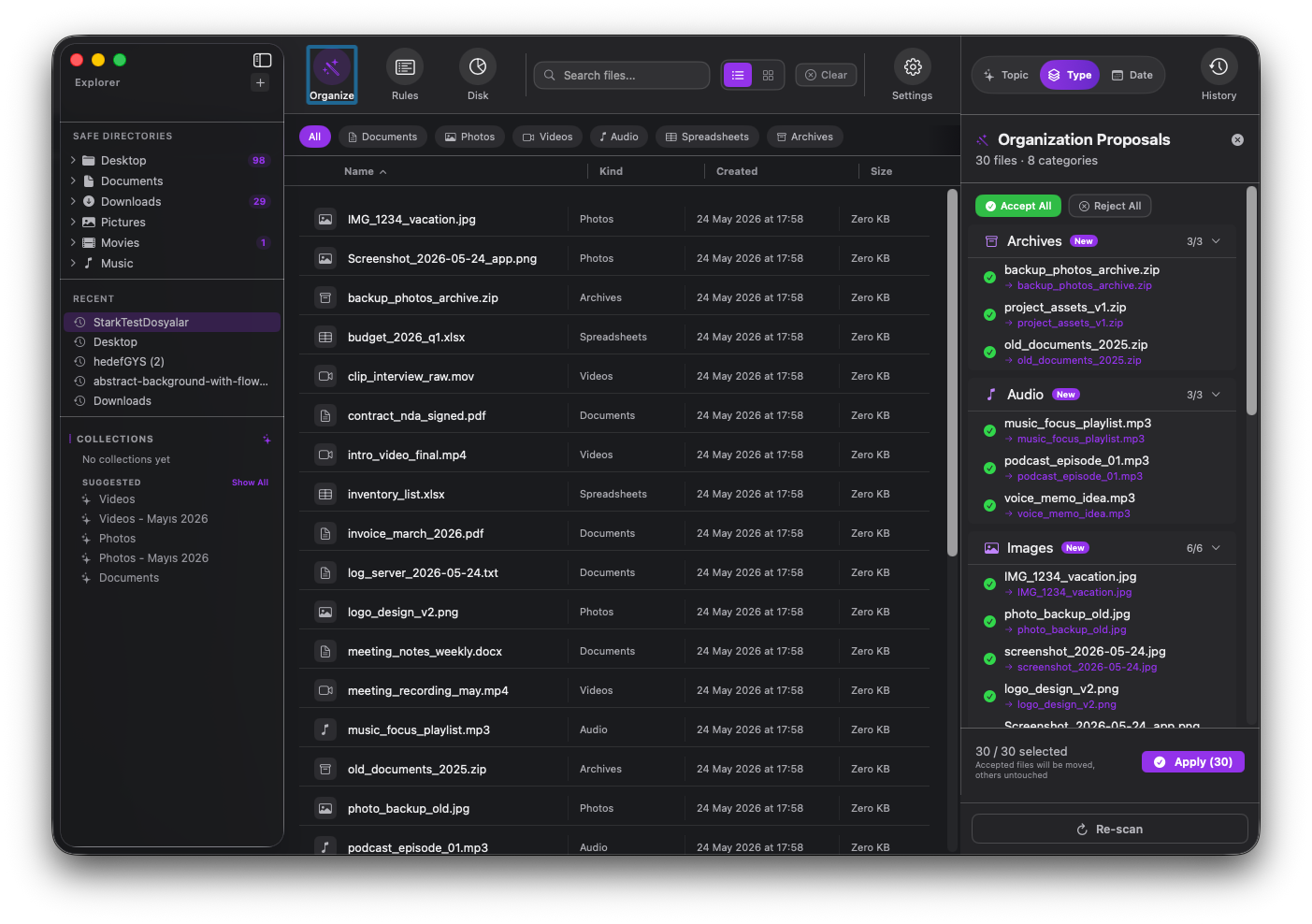
Stark shows every move it wants to make. Approve all, reject some, or cancel. You're always in control.

Undo

Changed your mind? One tap back

Every session is logged. Reverse a single batch or roll back multiple sessions instantly.

Private by design

Engineered for Paranoia.

01

100% Offline

What happens on your Mac, stays on your Mac. No account, no cloud, no exceptions.

02

Never Deletes

Stark only moves files. Plus, a full Undo button is always there to bring everything back.

🔒 03

You Stay in Control

Stark only touches folders you explicitly approve. Nothing runs without your permission.

💻 04

Developer Friendly

.git, node_modules, Pods, and .xcodeproj are automatically protected.

Core features

Everything you need. Nothing you don't.

Rules Engine

Automate repetitive cleanup

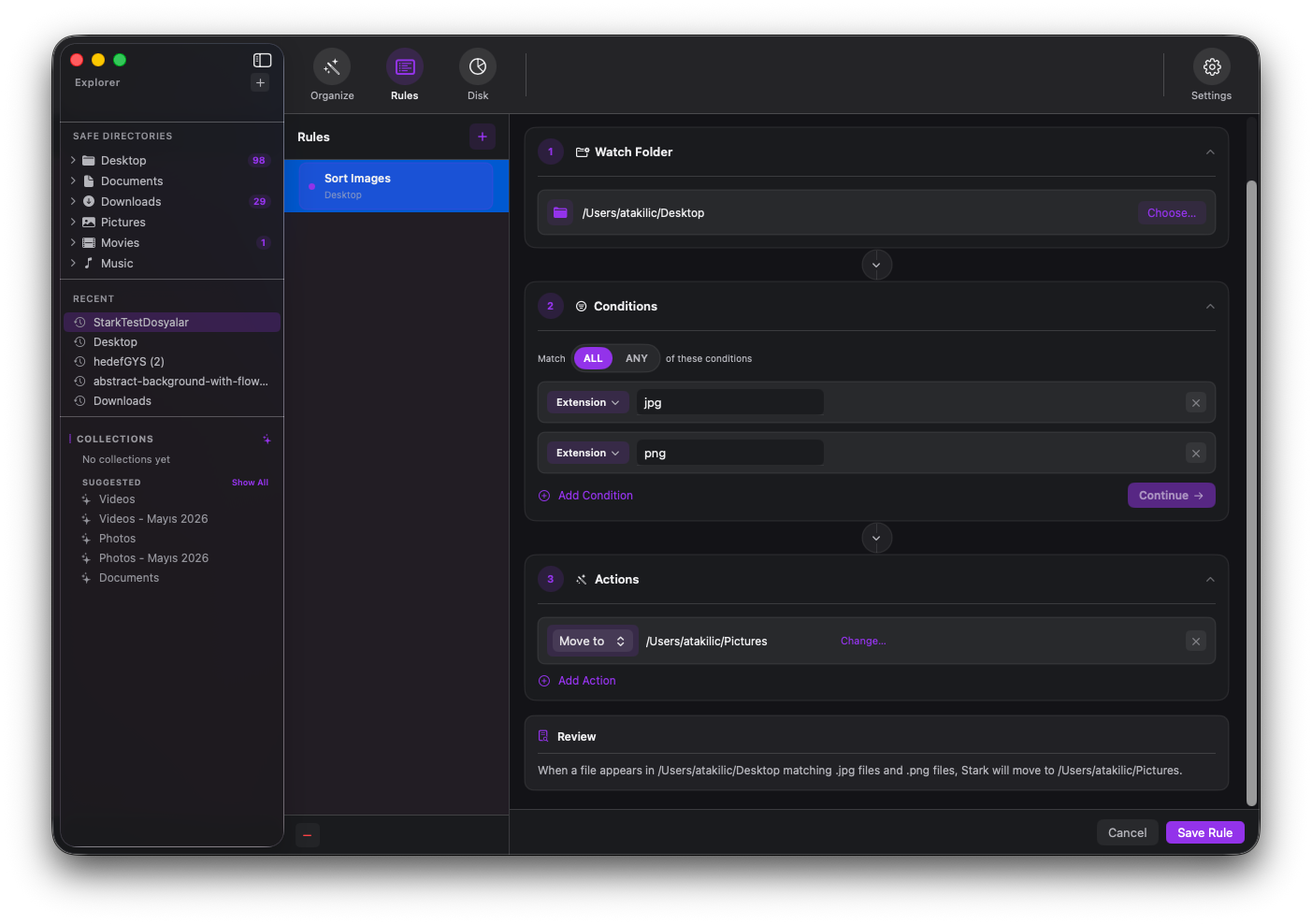
Trigger-based rules route screenshots, PDFs, videos, and AI-detected documents into the right folders — on autopilot.

Disk Analyzer

See what is consuming space

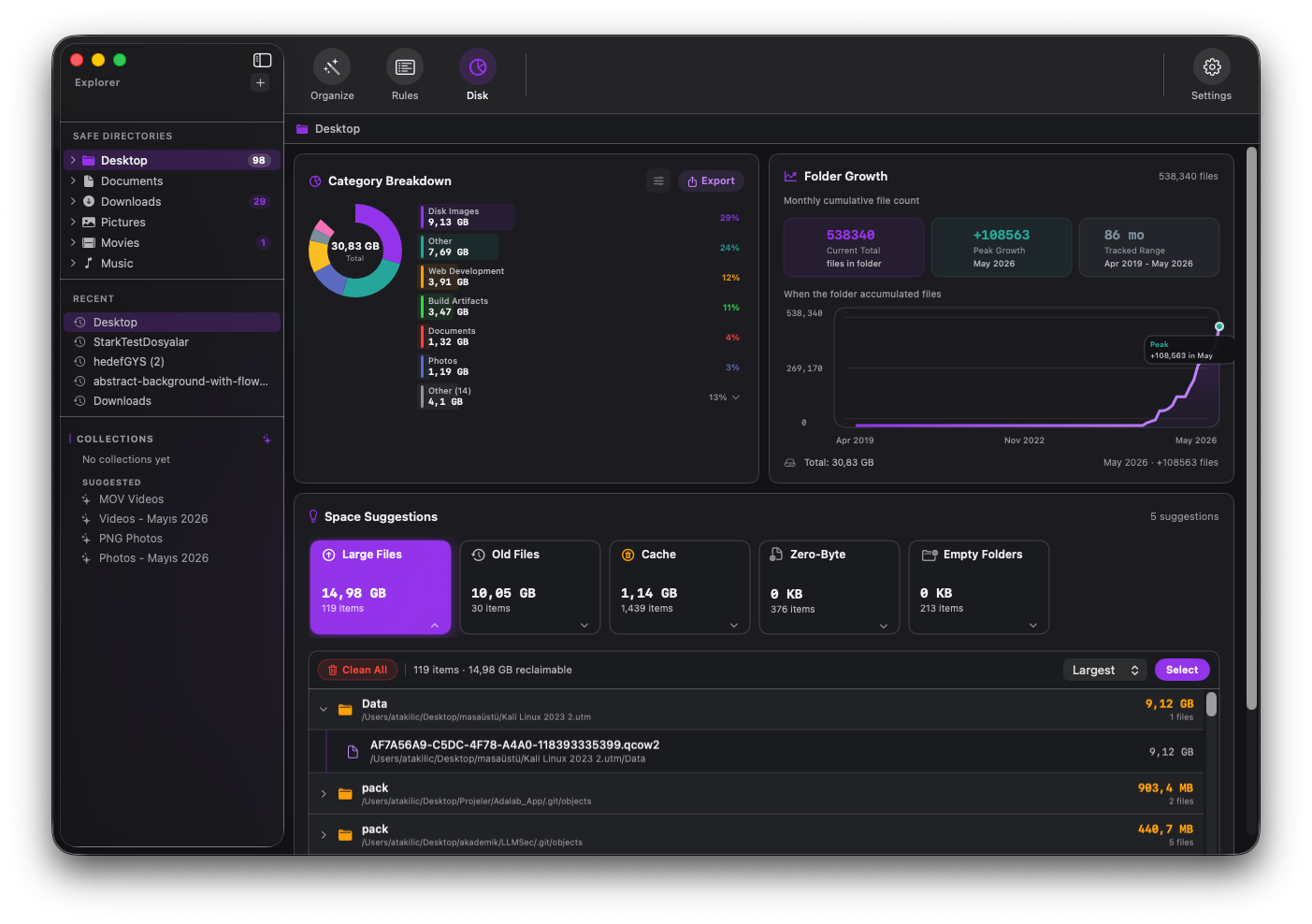
Visual category breakdown. Find old files, duplicates, empty folders, and heavy archives in seconds.

File Browser

Navigate large trees fast

Lazy-loaded folder trees, recent locations, quick system folders, and real-time search across every view mode.

Preview & Approval

See every move before it happens

Full source → destination preview before anything runs. Approve all, reject some, or cancel completely.

History

Rollback any session instantly

Every batch is logged. Undo a single operation or roll back to any point in your history timeline.

Menu Bar

Always one click away

Open Stark, inspect a folder, and jump straight into organizing — directly from your Mac menu bar.

Who uses Stark

Built for every kind of mess.

👨‍💻

Developers

Keep project folders intact while routing loose exports, assets, logs, and stray downloads into order. .git stays safe.

🎬

Creators

Sort footage, image sets, renders, and reference files by type, date, project, or client — in one command.

📑

Finance & Legal

Separate invoices, statements, and contracts automatically. Every move is logged and reversible.

🙂

Daily Mac Users

Clean Desktop and Downloads in seconds with simple prompts. No learning curve, no risk.

Pricing

No Subscriptions. No Cloud. Buy Once, Keep Forever.

Try it free on real folders. When you're ready to go unlimited, pay once — and that's it. No renewals, no accounts.

Free

$0

A real trial — no time limit, no account. Organize up to 30 files to see exactly how Stark works.

  • Organize up to 30 files total
  • 1 automation rule
  • AI command mode
  • Disk analyzer
  • Full undo history
  • File browser
Learn more
See technical details
PlatformmacOS 26.0+
FrameworkSwiftUI · Swift 6 · MVVM-C
AI / MLApple Foundation Models · CoreML · NaturalLanguage
Network accessNone — 100% offline
Account requiredNo
Performance10,000+ files scanned in under 2 seconds
SandboxApp Store sandboxed · app-scoped bookmarks
Data storageLocal only · JSON + UserDefaults

FAQ

Short answers for the obvious questions.

Will it accidentally delete or overwrite something?

Never. Stark has a zero-deletion policy — it only moves files. Every single move is logged with source and destination, so you can reverse anything with one click.

Does my data leave my Mac?

No. There's no server, no cloud sync, no account. Everything runs locally using on-device AI. Your files never leave your machine.

What happens to my Git repos and Xcode projects?

They're automatically protected. Stark detects .git, node_modules, Pods, .xcodeproj, Cargo.toml and other project markers, and excludes those folders from any operation.

Can I undo an entire session?

Yes. Stark logs every batch as a separate session in the History view. You can undo a single session or roll back multiple sessions at once with "Undo to Here".

Is the $14.99 really a one-time price?

Yes. Pay once through the Mac App Store and own Stark Pro forever. No renewals, no hidden fees, no subscription.

Does it work on older macOS versions?

Stark requires macOS 26.0 or later. The full AI pipeline uses Apple Foundation Models which is available on macOS 26+.

Clean your Mac. Keep your privacy.

Type what you want. Stark handles the rest — locally, safely, and with a full undo if you change your mind.

Download on the Mac App Store
Free · Pro $14.99